
3 Dots - Connect em all
LIHUHU PTE. LTD.Board
4.53.67K Reviews
- Version
- 2.7.1
- Installs
- 1.00M
- Age Rating
- Everyone
Screenshots
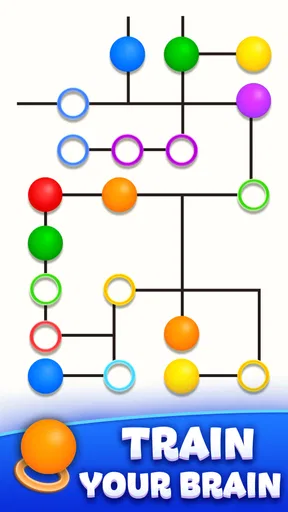
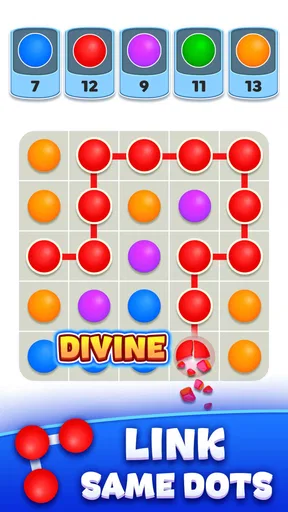

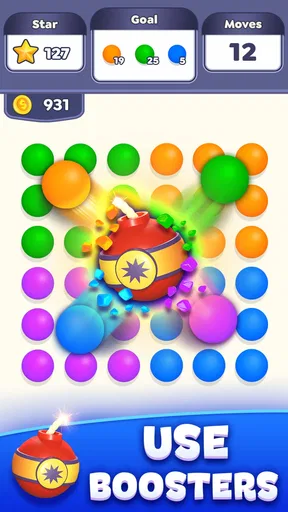
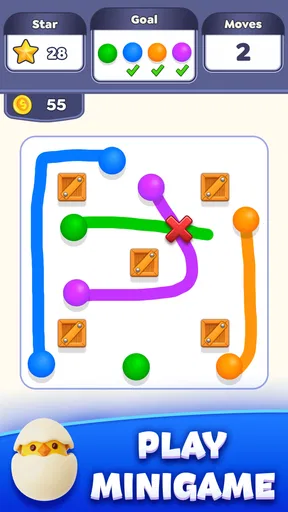
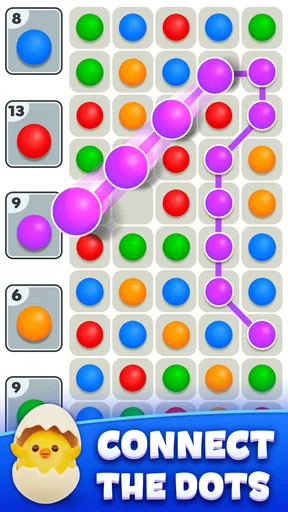


Our Review of 3 Dots - Connect em all
 Analysis by Appyee
I picked up 3 Dots - Connect em all expecting a simple color-matching distraction, and that is exactly where its appeal begins. It is a board game built around linking dots of the same color, but the small play area makes each move feel more deliberate than the cheerful presentation first suggests. I can start a round while waiting for a kettle to boil, hand the phone to someone beside me for a quick turn, or settle into a longer session when I want a quiet puzzle rather than a fast action game.
The game is made by LIHUHU PTE. LTD. and is free to download, with optional in-app purchases ranging from $0.99 to $99.99 per item. It carries an Everyone age rating, runs on Android 7.0 or later, and the current version is 2.7.1. Those details matter in a shared household because the game is easy to understand, but the purchase side deserves a little attention before a child or guest uses a device connected to a payment method.
How 3 Dots works when a phone becomes a shared puzzle
The central task is straightforward: I look for dots with matching colors and draw connections between them. The challenge is not learning a complicated rule set; it is seeing the whole board before committing to a route. A line that solves one color can occupy useful space for another, so the best move is often the one that preserves options rather than the one that looks quickest.
That makes it particularly suitable for casual shared use. In my experience, two people can look at the same board and notice different things. One person may immediately spot a short connection, while another sees that the move blocks a larger area. The game naturally supports quiet discussion without needing a competitive multiplayer system or a formal turn structure. You can simply pass the device back and forth, compare ideas, and decide which route to try.
A realistic household moment would be a short break after dinner. One person starts a puzzle, another suggests connecting a pair near the edge, and a third person points out that the line would leave an awkward gap. That kind of cooperation is where the game feels more interesting than its compact format suggests. It can become a small visual problem-solving activity rather than something one person plays in isolation.
At the same time, I would not describe it as a full family board-game replacement. A physical game gives everyone a clear place at the table and usually offers richer social rules. This title is better for a quick shared screen, a waiting-room distraction, or a calm activity when nobody wants to set up pieces, keep score, or commit to a long session.
The first few boards are easy to enter
The short description calls it “3 Dots,” but the useful idea is the color-linking puzzle itself. I did not need a tutorial-heavy explanation to understand the objective. That low entry barrier is a strong advantage when different people share one phone. Someone who has never played a connection puzzle can usually begin by following the visual relationship between matching dots.
The simplicity also makes the game approachable for younger players within the Everyone rating. I would still sit with a child at first, not because the rule is difficult, but because a shared device may have access to purchases and because children can interpret puzzle instructions differently from adults. The game is easy to show in person: explain what counts as a matching color, demonstrate one connection, and let the player experiment.
Adults may find the opening moments almost too gentle if they are looking for a demanding strategy game. The attraction grows when the board requires planning several connections ahead. I enjoy that gradual shift because it lets me use the same game in two ways: as a nearly effortless distraction when I am tired, or as a visual exercise when I want to concentrate.
What to decide before passing the device around
Because this is a single-device experience in the situations I found most natural, the main boundary is not a complicated account system but simple household coordination. Decide who is playing, whether the current puzzle can be completed before the phone is needed, and whether the device owner is comfortable with someone else tapping around the game. This sounds obvious, yet it prevents the small frustrations that can spoil a shared session.
I also recommend separating “watching” from “playing.” A younger user may enjoy suggesting moves without taking control, while an older player may prefer to solve the board alone. Agreeing on that beforehand avoids the familiar problem of several people reaching for the same screen and accidentally drawing the wrong connection.
The purchase issue deserves a clear rule. The game is free, but optional items can cost from $0.99 to $99.99 each. I would not hand the phone to a child without first checking the device’s purchase protections and making sure the player understands that free installation does not mean every optional item is free. This is practical preparation, not a criticism of the puzzle itself.
For a shared tablet, I would use a similar approach. Let each person finish a board before switching, and avoid treating the puzzle as a race unless everyone enjoys that pressure. Since the pleasure comes from examining possibilities, rushing another player can turn a thoughtful game into a frustrating one. A simple “one board each” arrangement works better than trying to manage several unfinished attempts.
Cooperation is strongest when players explain their reasoning
The best household use I found was not silently passing the phone but asking each player to explain why a route looked safe. That adds a layer of coordination without requiring a formal team mode. One person can scan the upper part of the board, another can look for a color with limited space, and the device holder can make the final connection.
This approach reveals an important trade-off. A helpful suggestion can save a puzzle, but too much advice removes the satisfaction of finding the solution. When I play with someone less experienced, I prefer giving a hint such as “look at the corners” rather than pointing directly to the next line. That keeps the game accessible while preserving the feeling of discovery.
There is also value in letting players make mistakes. A connection that seems harmless may close off a future route, and seeing that consequence teaches more than being told the correct answer immediately. If the game is being used with a child, I would treat failed attempts as part of the activity rather than grabbing the phone to repair every move.
For adults sharing a device, the game can work as a low-pressure coordination exercise. It does not demand the negotiation of a complex board-game rulebook, and it does not punish a player for taking a moment to inspect the layout. I would choose it for people who enjoy visual puzzles and conversation, not for a group looking for loud competition or a winner-and-loser structure.
Age suitability and trust in a shared household
The Everyone rating matches the approachable nature of the color-linking concept. I would consider it suitable for a broad household audience, especially because the basic interaction is easy to demonstrate. Still, an age rating should not replace supervision around device ownership. The important question is not only whether a child can understand the puzzle, but whether the child should use a phone where purchases, personal notifications, or other private material are within reach.
For that reason, I would create a clear routine: the owner opens the game, the younger player uses only the puzzle screen, and the phone returns immediately after the session. This is more reliable than assuming a child will know which areas are safe to tap. It also keeps the game from becoming an accidental route into unrelated parts of the device.
The same principle applies when lending the phone to a friend or relative. The game itself is easy to trust as a casual board title, but the device belongs to someone, and that boundary should remain visible. I would avoid leaving an unfinished purchase screen open, and I would make sure the next player knows whether they are free to experiment or expected to follow the current solver’s plan.
There is no need to turn a short puzzle into a heavily managed event. A quick explanation, a purchase check, and an agreed handoff are enough for most households. The game benefits from being uncomplicated, so the surrounding rules should be uncomplicated too.
Small habits that make the puzzles more enjoyable
My first useful habit was to avoid connecting the most obvious pair immediately. I scan the entire board first, especially for colors that appear near edges or in narrow spaces. Those locations often have fewer possible routes, so solving them mentally can reveal which open areas should remain available for other colors.
A second habit is to think in terms of empty space rather than only matching colors. When I draw a line, I am not merely completing one color; I am also changing the paths that remain for everything else. Looking at the empty regions after each possible move gives a better sense of whether a connection is helping the whole board.
When playing with another person, I find it useful to nominate one “planner” and one “checker.” The planner suggests a route, while the checker looks for the consequence elsewhere. Switching those roles after each board keeps one player from controlling every decision and makes the activity more collaborative.
For short breaks, I would not try to force a perfect solution while distracted. If I am about to leave the room or answer a call, I stop before making a move rather than tapping quickly. These puzzles reward attention, and an accidental line can change the board in a way that is more annoying than simply waiting.
Another practical tip is to use the game as a screen-sharing conversation starter, not as background entertainment. The visual board gives people something concrete to discuss. That works particularly well when a household wants an activity that is quieter than a video game but more engaging than scrolling through unrelated apps.
Where it fits among other board and puzzle games
Compared with a traditional physical board game, this title is faster to start and easier to store, but it offers less tactile interaction and less structured social play. There are no pieces to distribute and no table space to clear, which is ideal for a quick session. On the other hand, anyone wanting negotiation, bluffing, storytelling, or a strong competitive arc should choose a different kind of board game.
Compared with word puzzles, the appeal here is visual rather than verbal. I would recommend it to someone who likes spotting patterns but does not want to search for vocabulary or calculate numbers. Compared with action games, it is calmer and more forgiving in pace, though that also means it may feel slow to players who need constant movement or immediate excitement.
It sits closest to other connect-the-path puzzles, but its household advantage is how quickly another person can understand what is happening on screen. A spectator does not need to know a long history of rules before offering a useful observation. That makes it a good “pick up and inspect” game, especially on a shared phone.
I would skip it if my priority were a deep campaign, a rich narrative, or a clearly defined online competition. I would also look elsewhere if I wanted a game that automatically organizes several family profiles or creates separate progress spaces. For a simple shared-device puzzle, those omissions are not deal-breakers, but they matter if account separation is central to the way a household plays.
Practical expectations before installing
The game is free to install and has passed one million installs, with an average rating of 4.5 from around 34 thousand ratings and roughly 3.7 thousand written reviews. Those figures suggest that the basic format has found a sizable audience, but popularity does not change the personal fit question. The right reason to try it is that you enjoy linking colors and planning space, not simply because many other people have downloaded it.
Android users should note that it requires Android 7.0 or later. On a compatible phone, I would expect the main decision to be about play style rather than technical complexity: do you want a quick visual puzzle that can be passed around, or a more elaborate board experience with rules and roles? The answer becomes clear after only a few boards.
The current version is 2.7.1, so I would keep the installation updated through the normal app store process. I would also remember that optional purchases are part of the experience even though the initial price is free. For a personal device, that may be a minor consideration; for a family device, it is worth making the payment boundary explicit.
My household verdict on 3 Dots
I recommend this game to households that want a compact, approachable puzzle for shared moments. Its strongest quality is not simply that matching colors is easy to understand. It is that each board gives people a reason to look together, compare possible routes, and learn how one small decision affects the remaining space.
I especially like it for a parent and child, roommates waiting for food, or relatives sharing a tablet during a quiet break. The Everyone rating makes the basic concept broadly accessible, while the increasing need for planning gives adults enough substance to stay interested. The best sessions are cooperative without feeling forced: one person plays, another notices a pattern, and both feel involved.
There are sensible limits. It is not a substitute for a full tabletop game, it may disappoint players who want constant action, and free access should be paired with responsible purchase settings on a shared device. It also works better when players respect the solver’s turn instead of shouting every move at once.
After using it, my honest view is that 3 Dots - Connect em all is at its best as a low-friction shared puzzle. I would install it for short, thoughtful sessions and keep it available for moments when a household wants something interactive without a large commitment. If that sounds like your kind of game, the clean color-linking idea has enough room for both casual play and careful planning.
Verdict
Strengths of 3 Dots - Connect em all
- Simple rules make it easy to start playing immediately.
- Short levels are ideal for quick gaming sessions.
- Minimalist visuals keep the board clear and readable.
- Gradually increasing difficulty provides a steady challenge.
- Works well for players who enjoy calm, thoughtful puzzles.
Limitations of 3 Dots - Connect em all
- Some puzzles may feel repetitive after extended play.
- Later levels can become frustrating without careful planning.
- Limited visual variety may not appeal to action-focused players.
- Mistakes can require replaying a level from the beginning.
- Progress may feel slow for players seeking fast rewards.
Other Releases by LIHUHU PTE. LTD.
View All
Woodber - Classic Number Game
Board4.9

Mahjong Triple 3D - Tile Match
Board4.8

Triple Find - Match Triple 3D
Board4.8

Tiles in Hole: Black Hole
Casual4.8
Similar Picks in This Category
View All
Ludo King®
Gametion4.1

Ludo
Yarsa Games4.6

Tile Master® - Matching Game
Higgs Studio3.6

Checkers Online
CC Games4.6

Dominoes
Loop Games4.7

Chess
Chess Prince4.6
Frequently Asked Questions
What is 3 Dots - Connect em all and how is it played?
3 Dots - Connect em all is a casual puzzle game built around connecting matching dots on a grid. You usually swipe or draw a continuous path between dots of the same color, clearing them and completing the objective for each level. As you progress, boards become more crowded and introduce obstacles, limited moves, or special targets that require more thoughtful planning than simply making the longest available connection.
Is 3 Dots - Connect em all suitable for beginners?
Yes. The game is easy to understand because its main mechanic is introduced through simple early levels and responsive touch controls. Beginners can start playing without reading lengthy instructions, while later stages gradually add more demanding layouts and objectives. The difficulty can still become challenging, especially when levels limit the number of moves or require specific combinations, so patience and planning are important as you advance.
Does 3 Dots - Connect em all work offline?
The core puzzle levels can generally be enjoyed without a constant internet connection, which makes the game convenient for short sessions while traveling or when mobile data is unavailable. However, some features may depend on connectivity, including advertisements, cloud-related services, updates, event content, or in-app purchase verification. For the most reliable experience, open the game online occasionally and check the store description for the current offline limitations.
Are there advertisements or in-app purchases in 3 Dots - Connect em all?
Like many free-to-download puzzle games, 3 Dots - Connect em all may include advertising and optional in-app purchases. Ads can appear between levels or when you choose to receive extra help, moves, or rewards. Purchases are normally designed to provide convenience rather than being essential to start playing. Before downloading, review the app-store listing and your device’s purchase settings, particularly if children may use the device.
What should I know about privacy and device compatibility before downloading?
Before installing 3 Dots - Connect em all, check that your Android or iOS device meets the current operating-system requirements and has enough free storage for the game and future updates. You should also review the developer’s privacy information to understand what data may be collected, such as usage, diagnostics, advertising identifiers, or purchase-related information. Permissions and data practices can change, so confirm the latest details on the official store page.
Play our best games!


